I’m back to harp about my favorite peeve: word count. This time in combination with Automator. So, without further ado, let’s revivify that dead horse with some fresh coffee and go few more rounds.
The gist: You can use Automator (if you have a Macbook) to add a right-click menu that count words—whenever and wherever you have text selected.
And here’s how you do it.
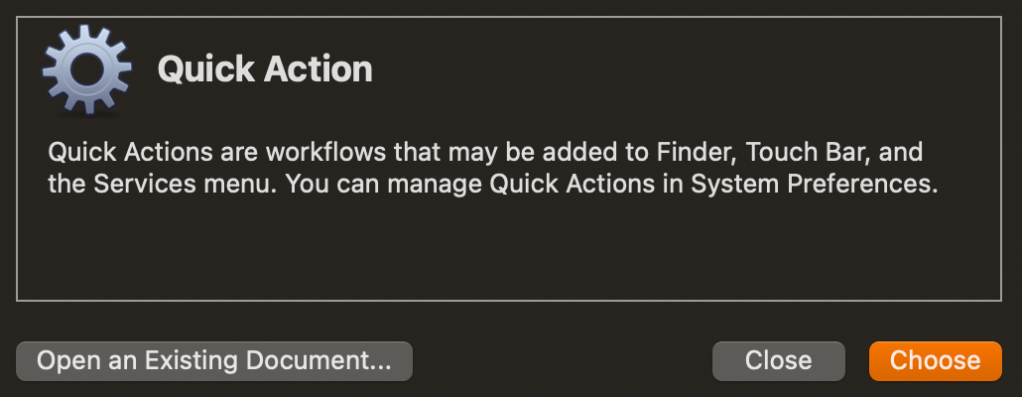
First, open Automator. Then select New document and create a Quick Action (in older versions it might be called Service).
Search for the Run Shell Script action and drag it into the main area on the right side.
Take a sip of coffee. Ignore the feeling of impending doom brought about by the mention of “shell script.”
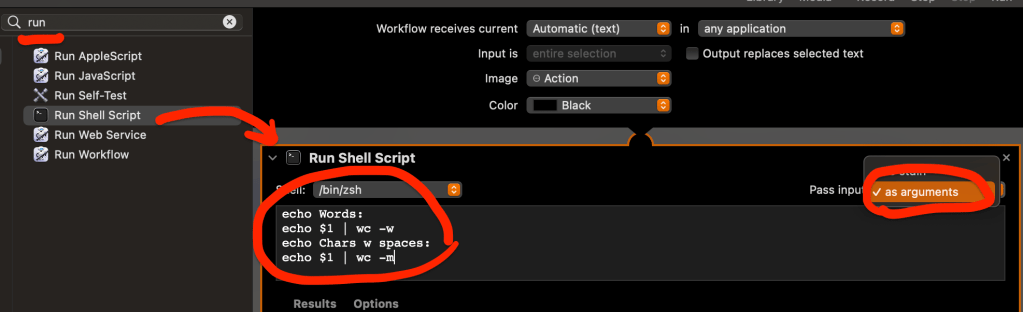
Change the Pass input dropdown to as arguments.
Type or copy/paste the following into the text area:
echo Words:
echo $1 | wc -w
echo Chars w spaces:
echo $1 | wc -m
Go back to the list of actions and search for Set Value of Variable. Drag and drop it after the shell script action.
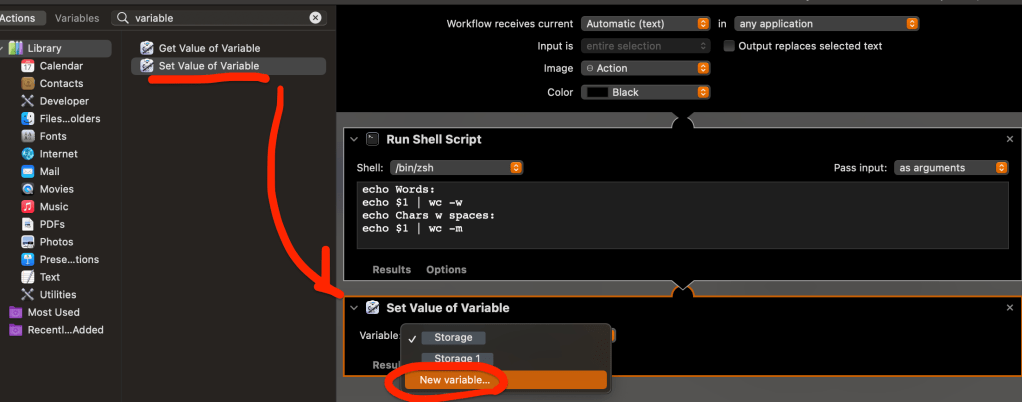
Use the dropdown in the new action and select New variable…
Ignore any Storage variable that’s already populated, and instead name yours whatever you like, for example wordcount. Click Done.

Go back to the list of actions again and find Ask for Confirmation. Drag and drop it after the set value action.
Note that we’re not really going to ask for anything (except the word count of course), but we can use this action to pop open a box that displays the results.
Take another sip of coffee and brace yourself for the last step.
From the very bottom section labeled Variable, drag your wordcount variable into the input field that says message on the Ask for Confirmation action (wow, that’s mouthful). Remember to keep calm, refer to the screenshot below, and pause to take a sip of coffee if you have to.

Actually, the last step is to Save. Don’t forget to save. Note that whatever you choose to save your quick action as, is what will show up in the context menu. Go ahead, be creative (I called mine “Word Count”).
Then highlight some text, right click, and find your new quick action under the Services submenu.
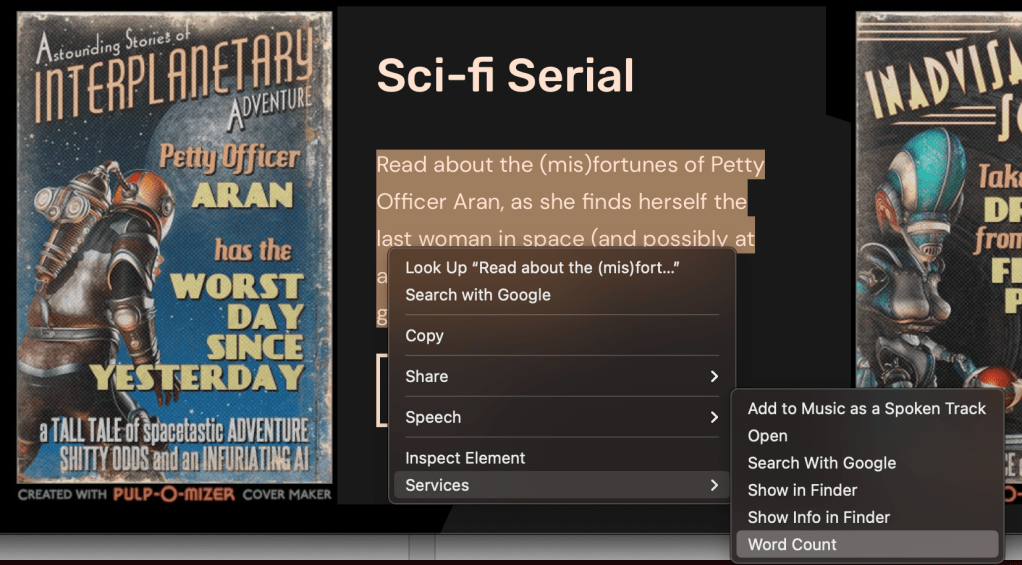
I for one welcome my new word count overlord. Now if you’ll excuse me, I have to get back to writing more words—so they can be properly counted.
 Henrik Refsnes
Leave a comment